Friday, July 17, 20263 min read
Working the Job, Not Just Booking It

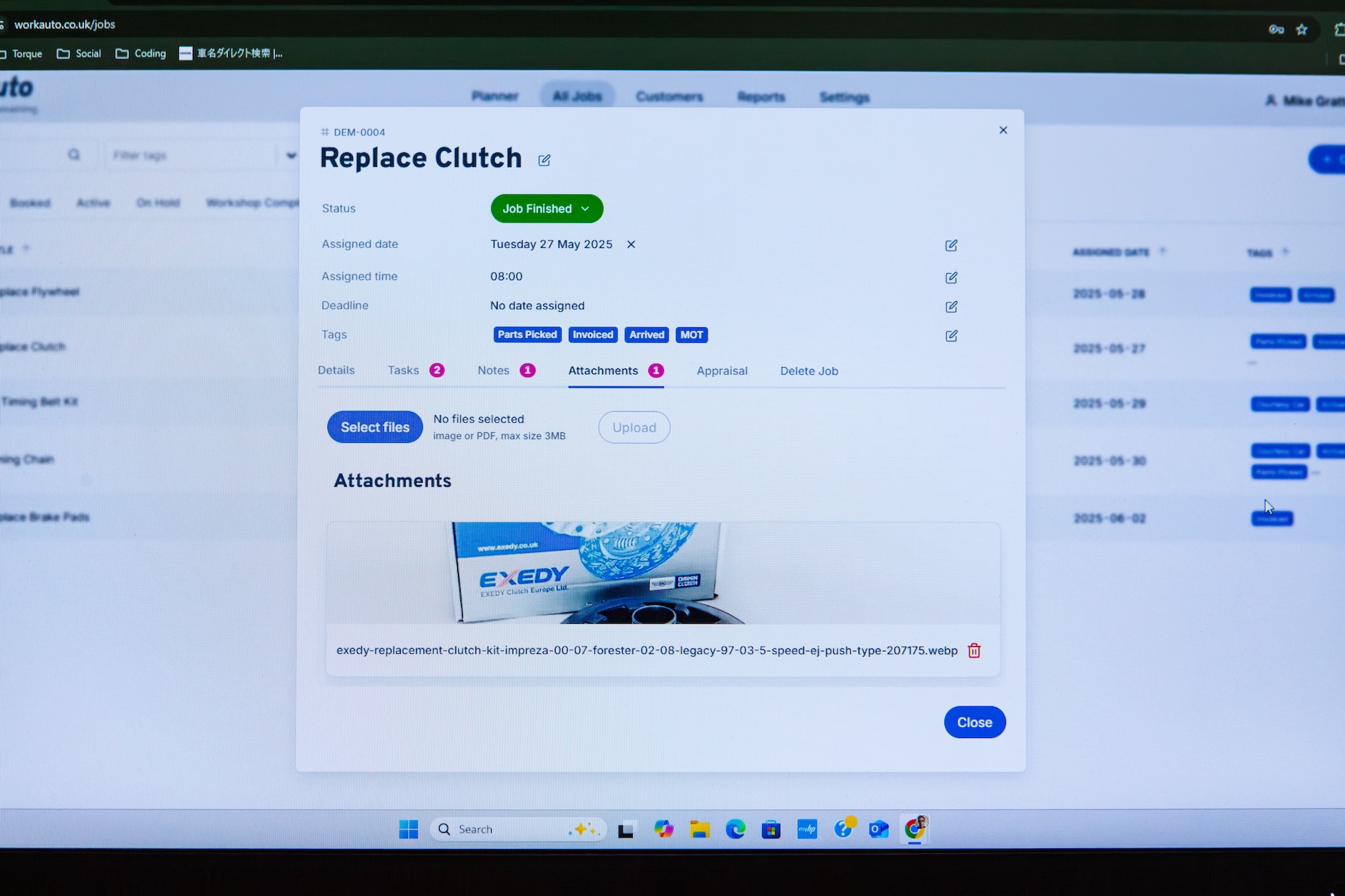
Garage Job Management Software: Working the Job, Not Just Booking It
Getting tomorrow's diary up is only the start. The real test of any garage job management software is what happens once the job's actually underway — and that's where Workauto shines.
What Happens Once a Job's Underway
A booked job isn't a static entry sitting on a planner. It moves — through stages, through your team, through the day. Workauto's workshop job tracking follows that movement with you in real time, so every job is exactly where you left it, and where your team can see it.
How Job Status Tracking Works in Workauto
Add notes, images and files as you go. A quick note on what you found, a photo of the worn part — all sat against the job, not scattered across texts and a notepad.
Assign or reassign to a technician. Jobs land with whoever's doing them, and if the day changes, so does the assignment. No re-booking, just a quick move.
Move the job through its statuses. Booked → Active → Workshop Complete. If something means a job can't be completed, use On Hold. For jobs that are pending or non-urgent, use the Drafts status.
Job finished. Once the job's done and you're happy to release it to the customer, review the time spent so you can be sure you're charging correctly.
Garage Workflow Software Built for the Way You Already Work
You already know which technician's on what car, and you already tell customers when a job's done. Workauto just gives that a home — one your whole team can see, instead of it living in someone's head or a scribbled notepad.
And once a job's marked complete, Workauto quietly picks up the next thing: an MOT or service reminder, sent by email or SMS, so the car's back in your diary next year too — hopefully!
FAQs: Garage Job Management Software
Can I add photos and documents to a job? Yes. Notes, images and files all sit against the job itself in Workauto's job management software, so anything relevant to the work is in one place.
Does Workauto handle invoicing? No. Marking a job complete finishes the work stage in Workauto — invoicing stays in whatever system you already use for that. You can mark a job as invoiced using the tags feature, then check the reports to see which jobs you haven't tagged yet.
What happens after a job's marked complete? You can schedule an MOT or service reminder by email or SMS, so the next visit is already in motion without you having to chase it.
Can jobs be reassigned between technicians? Yes. Jobs can be moved to a different technician at any point in Workauto's workshop job tracking, without re-booking the work.
What job statuses does Workauto use? Booked, Active, On Hold, Drafts, and Workshop Complete — giving you a clear view of where every job stands at a glance.
Ready to see it for yourself? Start your free garage planner trial and see what a job looks like from booked to complete.