Thursday, July 30, 20264 min read
How to Generate a Digital Vehicle Health Check (VHC)

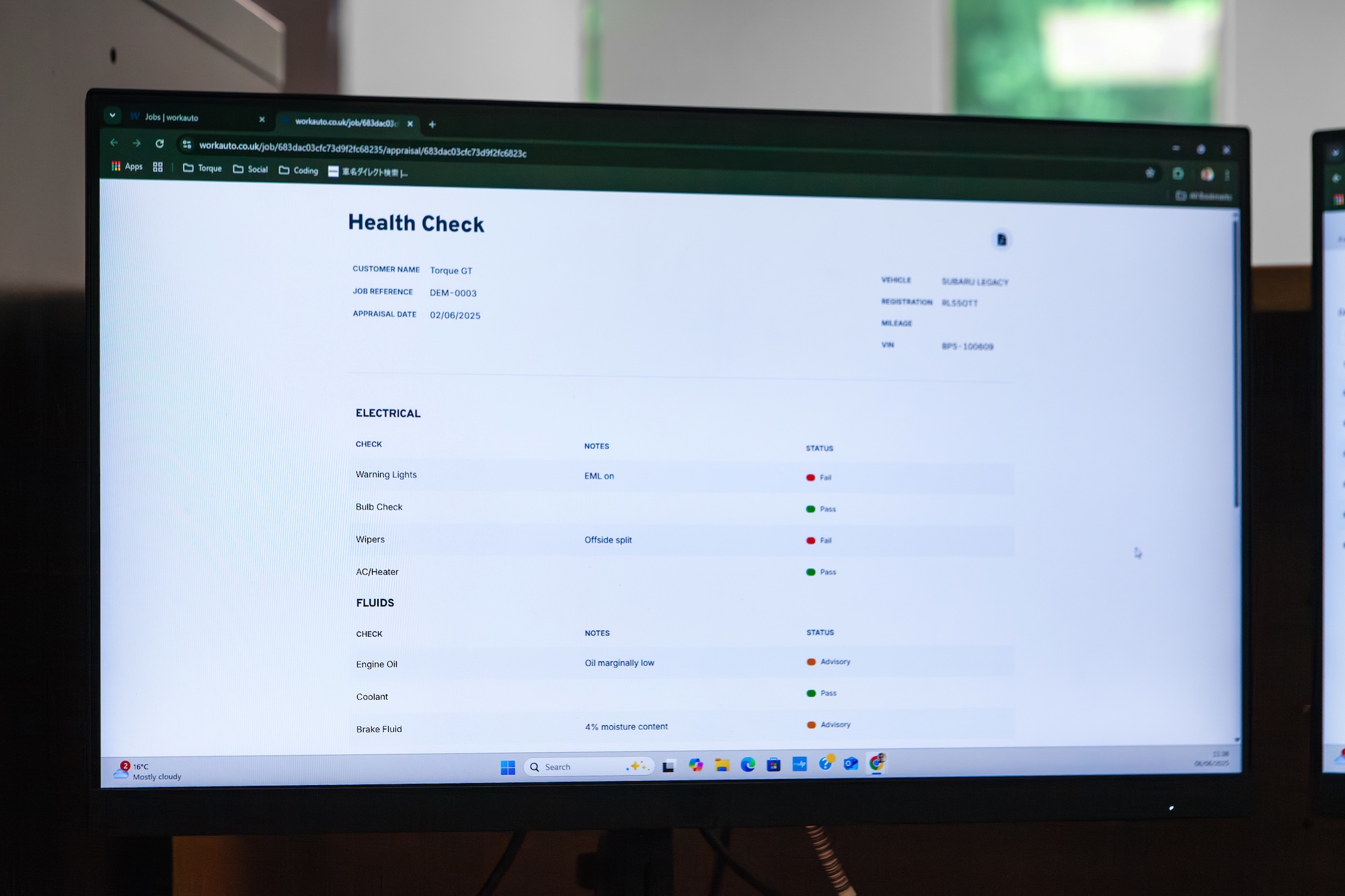
In Workauto, the Vehicle Health Check (VHC) lives inside the job, not next to it. That's the whole point of building it this way: the vehicle health check pulls straight from the job you already have open, so there's nothing to re-key and nothing to lose track of.
Why the VHC Matters
Most garages that run vehicle health checks do it one of two ways: on paper, or through a standalone app that doesn't talk to anything else. Both work, but both create the same problem — the check and the job live in two different places, and someone has to reconcile them later.
A VHC generated straight from the job fixes that at the source:
No duplicate data entry. The vehicle, customer, and job details are already there.
One record, not two. The health check sits against the job it belongs to, not in a separate log.
Opportunity to grow revenue. Attach a health check to every job. It's good practice to check each car as it comes into your workshop for the safety of your customers and if you do find any issues, you have the opportunity to increase the scope of the job.
Walking Through the VHC Flow
Here's what generating a Vehicle Health Check looks like from an existing job in Workauto. For the full breakdown, our docs have a dedicated section on Vehicle Health Checks.
Open the job. Find the job on your planner as normal.
Start the VHC from within the job. The vehicle and customer details carry across automatically, since they're already attached to the job. Click the Appraisals tab — we offer a Health Check and a Service Check. The Service Check is designed for vehicles where the customer doesn't know where they are in their service schedule, another good opportunity to grow revenue.
Work through the check. Open the job in Techview and go through the checklist — tyres, brakes, fluids, lights, whatever your garage's standard VHC covers — recording status against each item.
Flag anything that needs attention. Items that need work can be marked clearly, so nothing gets missed between the check and the conversation with the customer.
Save it against the job. The completed VHC stays attached to that job's record, not floating in a separate system you have to remember to check later. You can print it or save it as a PDF.
What This Means for the Customer Conversation
A VHC that's attached to the job is also a VHC that's easy to talk through. When a technician flags something during the check, it's sitting right there against the job, ready to bring up when you call the customer, rather than buried in a separate report you have to go find first.
It also means the history builds up naturally. The next time that vehicle comes in, the previous VHC is part of its job history, not a one-off document that's easy to lose.
Built to Fit the Job You're Already Doing
You don't need a new process to start using VHCs in Workauto. If you're already doing checks — on paper, in a separate app, or informally — this just gives you somewhere for that work to live alongside the job it belongs to.
FAQs
Do I need a separate app to run a Vehicle Health Check? No. VHCs are generated directly from the job in Workauto, so there's no separate app or system to switch between.
Does the VHC carry over vehicle and customer details automatically? Yes. Since the VHC is generated from an existing job, the vehicle and customer information is already attached.
Where does the completed VHC get stored? Against the job itself, so it's part of that vehicle's history rather than sitting in a separate record you'd need to track down later.
Can I customise what's included in the health check? Not currently, but this is on our future roadmap.
Ready to run a check without leaving the job? Start your free trial now and see how it works.